1.【Usage Requirements】1. Must be the original factory-installed unit with no modifications to the screen. 2. The original unit must support wired CarPlay and wired Android Auto functionality. 3. The original screen must be a touchscreen. 4. The phone model must be compatible with the original unit's built-in features. 5. When using Android Auto, the Android phone must have genuine Google services authorization to enable connectivity;
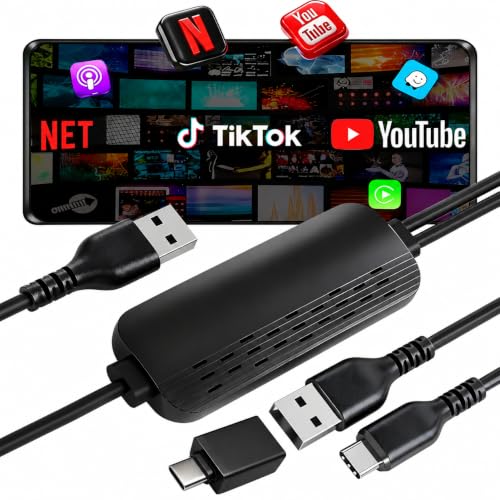
2.【4-in-1 Smart Wireless Converter, Universal Compatibility】The VQU wireless CarPlay adapter supports Wireless CarPlay, Android Auto, AirPlay, and Miracast in one compact device. Seamlessly switch between systems for iPhone and Android phones, eliminating cable clutter and enhancing your in-car connectivity experience
3.【Plug & Play, No Installation Required】Simply plug the adapter into your car's USB or USB-C data port (not a charging-only port). It automatically converts your factory wired CarPlay system to wireless within 15 seconds. Works with most CarPlay-supported vehicles—true plug-and-play convenience
4.【Stable High-Speed Transmission & HD Screen Mirroring】Equipped with an advanced chipset for stable, low-latency audio/video transmission. Mirror your phone's screen (navigation, music, videos) directly to your car's display for entertainment and information on the go
5.【Automatic Bluetooth Reconnection, Focus on Driving】Pairs once, then reconnects automatically every time you start your car. Your phone seamlessly links via Bluetooth and WiFi to launch CarPlay or Android Auto, so you keep your hands on the wheel and eyes on the road
6. 【OTA Online Updates for Ongoing Optimization】Receive firmware upgrades over WiFi to improve compatibility and performance. If you experience connection issues, easily update the device by connecting to its WiFi network and accessing the OTA portal via your phone's browser
7.【User-Friendly Design for Multiple Scenarios】Customize settings like language, startup delay, and audio sync through the intuitive interface. Ideal for daily commutes, road trips, ridesharing, or family travel—making every drive smarter and more connected
8. 【PLS NOTE】 Content Restrictions for Screen Airplay: Some videos (like those from YouTube) have restrictions that prevent screen Interconnect unless the content owner grants explicit permission. For example, if you’re trying to Interconnect a YouTube video, it won’t work via Interconnect Mode or CarPlay unless you have a YouTube Premium subscription
9. 【Vehicles not supported by this product】① BMW, Lincoln, etc.; ② Vehicles equipped with factory head units that do not support CarPlay; ③ Nissan head units require an additional power cable (Y-cable); ④ Tank, Chery Tiggo 8, Toyota Corolla Altis, Nissan Teana, etc.
VQU 4-in-1 Wireless CarPlay Adapter—Smarter Driving, Wireless Freedom
The VQU Wireless CarPlay Adapter is a versatile in-car companion designed to upgrade your factory wired CarPlay system into a fully wireless multi-platform hub. Compatible with both iPhone and Android devices, it delivers seamless integration for Wireless CarPlay, Android Auto, AirPlay, and Miracast—freeing you from cables and bringing smart connectivity to any drive.
Key Features & Benefits:
-
Wireless CarPlay & Android Auto: Enjoy hands-free calling, music streaming, navigation, and voice assistant support without plugging in.
-
AirPlay & Miracast Screen Mirroring: Wirelessly project apps, videos, maps, and presentations from your phone to the car’s display.
-
Broad Vehicle Compatibility: Works with most factory systems that support wired CarPlay. Compatible with iOS 6+ and Android 11+.
-
Smart Auto-Reconnect: Once paired, your phone reconnects automatically when you enter the car.
-
OTA Firmware Updates: Keep your adapter up to date with the latest features and stability improvements via wireless updates.
Easy Setup in Three Steps:
-
Start your car and insert the VQU adapter into the vehicle’s USB/USB-C data port.
-
Wait about 15 seconds for the system to initialize (select CarPlay/Android Auto icon if prompted).
-
Enable Bluetooth and WiFi on your phone—connection is automatic.
Customizable Settings & Upgrades:
Adjustable parameters include interface language, audio delay, and boot timing. If an update is needed, connect your phone to the adapter’s WiFi network (SSID: SmartBox-xxxx, Password: 12345678), enter 192.168.1.101 in your browser, and follow the OTA upgrade instructions.