Add to favorites


Japan & Korea eSIM – 30 Day 5GB (5G/4G) High-Speed Data Prepaid Card. Unlimited 128kbps After Cap, Hotspot Support, Same-Day Online Delivery Support,365-Day Customer Support (30 Days 5GB) — Open-Box, 59% Off
Brand: Billion Connect
Condition: Used - Mint
$527
$1299
-59% Save $772
Updated: 51 days ago
Description
✅【Ready to Use After Purchase | Fast QR Code Activation】Once your order status shows “Shipped”, simply follow the image instructions and scan the QR code to activate your eSIM. For immediate access, please contact us via Amazon Buyer Messages or LINE (@billionconnect) to receive your eSIM and installation guide promptly.
✅【Check Device Compatibility Before Purchase】 This service is only available for eSIM-compatible and SIM-unlocked devices. Dial *#06# — if an EID number appears on the screen, your device supports eSIM functionality.
✅【30 Days 5GB , 4G Supported】 eSIM offers 5GB of high-speed data for 30days! After reaching the daily limit, speed will be reduced to 128kbps. You can still use text-based apps like LINE, WhatsApp, Messenger, check emails, and use maps/navigation.
✅【SIM Card Coverage】Japan & Korea
✅【How Plan Duration Is Calculated】The validity period of your eSIM starts from the moment it is activated and is calculated in 24-hour units. Example: If you activate a 3-day plan on October 1 at 10:00, the plan will expire on October 4 at 10:00. ⚠️Please activate your eSIM within 90 days of receipt. If the eSIM is not activated by the day before the expiration date, it will become invalid and cannot be used.
✅【Multilingual Customer Support – Available 365 Days】Customer support is available via Amazon Buyer Messages and LINE (ID: @billionconnect) in English, Japanese, and Chinese. Operating Hours: 4:00 PM – 9:00 AM (PT)
QR code image directly to your phone.
Go to “Mobile Data / Cellular Plans” (iOS) or “SIM Card Management” (Android) in your phone’s settings.
While connected to the internet, select “Add Mobile Data Plan / Add Cellular Plan” (iOS) or “Add SIM” (Android) and scan the QR code to install the eSIM.
If scanning fails, you can manually enter the SM-DP+ Address and Activation Code provided in your order confirmation.
If steps 3 or 4 fail, your phone may be network-locked by your carrier (i.e., it cannot connect to other carriers' networks). Please contact your carrier to unlock the device before using the eSIM.
[Using the eSIM]
Turn off your primary SIM card and enable the eSIM.
Activate “Mobile Data / Cellular Service” (iOS) or “SIM Card” (Android) for the eSIM.
If you still cannot connect to the internet, please set the APN manually and restart your device (see instructions below).
[About APN Settings]
For eSIMs covering multiple countries/regions: If you are unable to connect when entering a new area, try switching the APN manually (normally, this happens automatically).
How to set APN:
iOS: Settings → Cellular / Mobile Data → Cellular Data Network
Android: Settings → Network & Internet → Mobile Network → Access Point Names (APN) → Create or Edit APN
Enter the required APN information.
Restart your phone.
QR code image directly to your phone.
Go to “Mobile Data / Cellular Plans” (iOS) or “SIM Card Management” (Android) in your phone’s settings.
While connected to the internet, select “Add Mobile Data Plan / Add Cellular Plan” (iOS) or “Add SIM” (Android) and scan the QR code to install the eSIM.
If scanning fails, you can manually enter the SM-DP+ Address and Activation Code provided in your order confirmation.
If steps 3 or 4 fail, your phone may be network-locked by your carrier (i.e., it cannot connect to other carriers' networks). Please contact your carrier to unlock the device before using the eSIM.
[Using the eSIM]
Turn off your primary SIM card and enable the eSIM.
Activate “Mobile Data / Cellular Service” (iOS) or “SIM Card” (Android) for the eSIM.
If you still cannot connect to the internet, please set the APN manually and restart your device (see instructions below).
[About APN Settings]
For eSIMs covering multiple countries/regions: If you are unable to connect when entering a new area, try switching the APN manually (normally, this happens automatically).
How to set APN:
iOS: Settings → Cellular / Mobile Data → Cellular Data Network
Android: Settings → Network & Internet → Mobile Network → Access Point Names (APN) → Create or Edit APN
Enter the required APN information.
Restart your phone.
Sold by
Amazon Warehouse
Official Amazon outlet for open-box & returned items
- Backed by Amazon's A-to-Z Guarantee
- 30-day return policy
- Ships from Amazon fulfillment centers
- Price verified on Amazon
Product Details
- SKU:
- awhd-us-b0f87fkc6f
- Model:
- 30 Days 5GB
- Country:
- US
- ASIN:
- B0F87FKC6F
Shopping Smarter
Common questions about buying open-box and refurbished.
Why buy refurbished or open-box?
Refurbished and open-box products offer the same performance as new at a fraction of the price. You're already saving $8 on this listing. They've been inspected, tested, and are ready to use — the only difference is the price tag. Buying refurbished also reduces electronic waste, extending product life cycles and keeping functional devices out of landfills.
What's the difference between open-box and refurbished?
Open-box products are customer returns that have been inspected and confirmed functional. They may show little to no use — often the item was returned simply because the buyer changed their mind. Refurbished products have been professionally repaired or restored by technicians, tested to meet or exceed manufacturer specifications, and sometimes come with a warranty. Both are a smart alternative to buying new.
Why use OpenBoxFox?
Finding refurbished deals is time-consuming — you'd have to check Amazon Warehouse, Reebelo, Dyson Outlet, and others separately for Billion Connect products. OpenBoxFox aggregates these listings in one place, so you can compare and find the best deal without the legwork. We update pricing daily so you always see current availability and real savings.
Is it safe to buy refurbished?
Yes. Products listed on OpenBoxFox come from established retailers like Amazon, Reebelo, and Dyson — not unknown third-party sellers. Each retailer has buyer protection policies, return windows, and in some cases warranties. You get the price advantage of used goods with the purchase security of a known retailer.
More open-box deals
Updated daily from Amazon, Reebelo, and Dyson.

![[eSIM] Caribbean Islands eSIM | 30DAYS 30GB | Puerto Rico, Dominican Republic, Jamaica | 5G, 4G/LTE, Tethering, Hotspot | SIM with Instant Activation in 10 Minutes | Travel with Ringsim by ringsim - Used condition - US$167.58](https://m.media-amazon.com/images/I/51GW-bIeQ-L._SX600_.jpg)
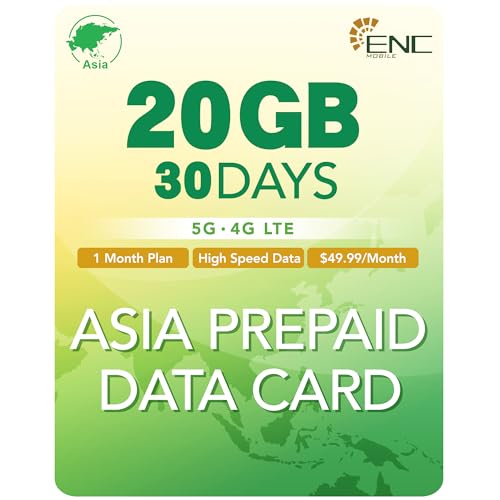
![[eSIM] Caribbean Islands eSIM | 20DAYS 20GB | Puerto Rico, Dominican Republic, Jamaica | 5G, 4G/LTE, Tethering, Hotspot | SIM with Instant Activation in 10 Minutes | Travel with Ringsim by ringsim - Used condition - US$108.51](https://m.media-amazon.com/images/I/51Rh3n3DxJL._SX600_.jpg)