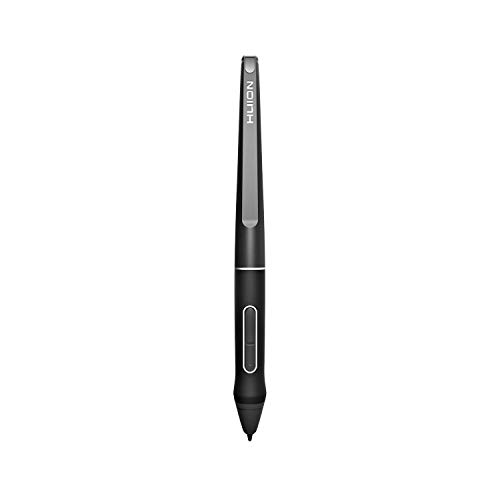
HUION PW507 Battery-Free Stylus for Huion Kamvas PRO 12, Kamvas PRO 13,Kamvas Pro 16, Kamvas 16 and Kamvas 20 Graphics Drawing Monitor
Brand: HUION
Description
Battery-free Pen - Only applicable to Huion Kamvas PRO 12, Kamvas PRO 13,Kamvas Pro 16, Kamvas 16 and Kamvas 20 Graphics Drawing Monitor; Will NOT work with any other models;Never worry about pen-charging, and eco-friendly of use; Without operating battery, the pen is only 0.03lb(14g) in weight.
8192 Levels of Pen Pressure Sensitivity - Enjoy the accuracy and precision when drawing; Having 266 PPS report rate, 5080LPI resolution, you can paint or draw or sketch smoothly as you like.
Two Customizable Pen Buttons - Set the function to your reference like eraser, fasten your working efficiency; Palm rejection design of dual keys on both sides of the pen helps reduce touch frequency and realize most effective creation.
Long-lasting lifespan - First of Huion's products features battery-free stylus, say goodbye to charging cables; Don't need to worry about the potential battery leakage and run-out.
Note: The battery-free pen PW507 is suitable for Kamvas GT-191 V2(700K). But please check the fourth and fifth S/N numbers on the back of the GT-191 V2(700K) to make sure which pen you should buy for replacement. If the number is D0, please buy the PW500. If It is E2, please get the PW507.
Hovering Issue with Huion Digital Pen-Issue One :Hover clicking: the pen is clicking while hovering over the surface of the device Solution :Please replace the pen nib and insert it firmly. Clouds of dust inside your pen tip can also cause the pen hover issue.
Hovering Issue with Huion Digital Pen-Issue Two :Hover drawing: even when the pen is not making physical contact with the tablet, the pen will still draw very faint lines Solution :Please ensure no unnecessary electronic devices, such as gaming peripherals, speakers, etc., are near your tablet. If there are, please put them away and see if it helps. Since our pen technology uses electromagnetic resonance, electromagnetic interference from these devices may also cause pen hover issues.
Hovering Issue with Huion Digital Pen-Issue Three:Hover dragging: you can drag files when hovering the pen over the surface of the device. Solution :Uninstall the driver, and try the tablet (without a driver being installed) to see if the problem persists. This step can help us determine if the driver causes this problem. (NOTE: Please skip this step if you use MacOS Catalina or later since a tablet driver is necessary for these MacOS)
Brand: HUION 1.Battery-free Pen - Only applicable to Huion Kamvas PRO 12, Kamvas PRO 13,Kamvas Pro 16, Kamvas 16 and Kamvas 20 Graphics Drawing Monitor; Will NOT work with any other models;Never worry about pen-charging, and eco-friendly of use; Without operating battery, the pen is only 14g in weight. 2.8192 Levels of Pen Pressure Sensitivity - Enjoy the accuracy and precision when drawing; Having 266 PPS report rate, 5080LPI resolution, you can paint or draw or sketch smoothly as you like. 3. Two Customizable Pen Buttons - Set the function to your reference like eraser, fasten your working efficiency; Palm rejection design of dual keys on both sides of the pen helps reduce touch frequency and realize most effective creation. 4.Long-lasting lifespan - First of Huion's products features battery-free stylus, say goodbye to charging cables; Don't need to worry about the potential battery leakage and run-out. 5.NOT COMPATIBLE with iPad and other Huion Graphics Tablet or Monitor Series. Huion provides one year warranty.
Sold by
Amazon Warehouse
Official Amazon outlet for open-box & returned items
- Backed by Amazon's A-to-Z Guarantee
- 30-day return policy
- Ships from Amazon fulfillment centers
- Price verified on Amazon
Product Details
- SKU:
- awhd-us-b07hk6hzzc
- Model:
- PW507
- Country:
- US
- ASIN:
- B07HK6HZZC
Shopping Smarter
Common questions about buying open-box and refurbished.