Add to favorites
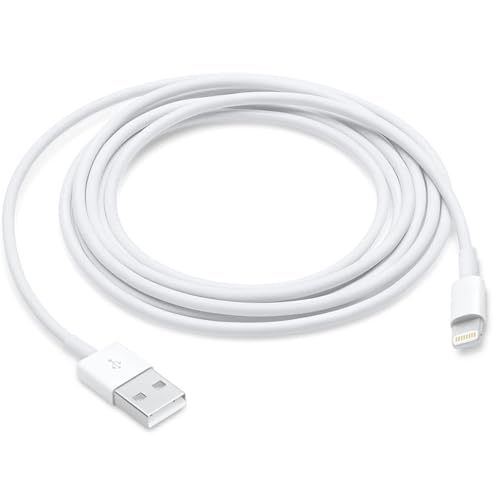
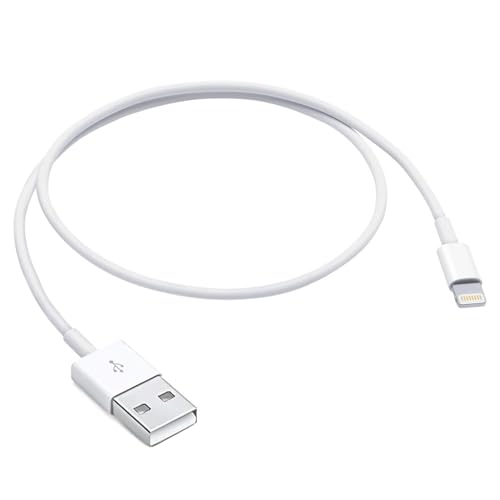
6ft USB A to Lightning Cable for iPhone 14, Carplay Cable Compatible for iPhone 14 pro max,13 Plus,SE 2nd/12/11/Xs/XR, Fast Charging Power Cord AirPods Pro, AirPods (2nd/3nd Gen) Earbuds, Max Cord
Brand: Abysssea
Condition: Used
$899
$999
-11% Save $100
Updated: 3 days ago
Description
This cable is compatible with iPhone 14, 13, SE 2nd generation, 12, 11, Xs, XR, 8, 7, 6 series, as well as AirPods Pro, AirPods (2nd and 3rd generations), and AirPods Max. USB A to Lightning Cable.
With Lightning Connector to your USB port for syncing and charging.
2 meter in length (6ft white).
Worry-free 1-year warranty, lifetime technical support.
*Note: If you experience issues with CarPlay function, please try to reverse the lightning plug to try again. Feel free to contact us if any further problem. We will always be here to help.
Length:2 meter in length (6ft).
USB A to Lightning Cable.
iPhone 14, iPhone 14 Plus, iPhone 14 pro, iPhone 14 pro max √
iPhone 13, iPhone 13 Plus, iPhone 13 pro, iPhone 13 pro max√
iPhone 12, iPhone 12 mini, iPhone 12 pro, iPhone 12 pro max√
iPhone11, iPhone11 Pro, iPhone11 Pro max √
iPhone X, iPhone XR √
iPhone SE, iPhone SE (2nd generation) √
iPhone 8, iPhone 8 Plus √
iPhone 7 √
iPhone 6, iPhone 6 Plus √
AirPods Pro√
AirPods (2nd generation)√
AirPods (3nd generation)√
AirPods Max√
iPad 4, iPad 5, iPad 6, iPad 7, iPad8 √
iPad Mini, iPad Mini 2, iPad Mini 3, iPad Mini 4, iPad Mini 5 √
iPad Air, iPad Air 2, iPad Air 3 √
iPad Pro 12.9 inch(2015), iPad Pro 9.7 √
With Lightning Connector to your USB port for syncing and charging.
Worry-free 1-year warranty, lifetime technical support.
Set up CarPlay
1. Start your car, then make sure that Siri is on.
2. Connect your iPhone to your car:
· If your car supports CarPlay with a USB cable, plug your iPhone into the USB port in your car. The USB port might be labeled with a CarPlay icon or a smartphone icon. Be sure to use an Lightning to USB cable.
· If your car supports CarPlay both wirelessly and with a USB cable, plug your iPhone into the USB port in your car. An alert on your iPhone will offer to connect you wirelessly on your next drives.
*Note: If you experience issues with CarPlay function, please try to reverse the USB C plug to try again. Feel free to contact us if any further problem. We will always be here to help.
USB A to Lightning Cable.
iPhone 14, iPhone 14 Plus, iPhone 14 pro, iPhone 14 pro max √
iPhone 13, iPhone 13 Plus, iPhone 13 pro, iPhone 13 pro max√
iPhone 12, iPhone 12 mini, iPhone 12 pro, iPhone 12 pro max√
iPhone11, iPhone11 Pro, iPhone11 Pro max √
iPhone X, iPhone XR √
iPhone SE, iPhone SE (2nd generation) √
iPhone 8, iPhone 8 Plus √
iPhone 7 √
iPhone 6, iPhone 6 Plus √
AirPods Pro√
AirPods (2nd generation)√
AirPods (3nd generation)√
AirPods Max√
iPad 4, iPad 5, iPad 6, iPad 7, iPad8 √
iPad Mini, iPad Mini 2, iPad Mini 3, iPad Mini 4, iPad Mini 5 √
iPad Air, iPad Air 2, iPad Air 3 √
iPad Pro 12.9 inch(2015), iPad Pro 9.7 √
With Lightning Connector to your USB port for syncing and charging.
Worry-free 1-year warranty, lifetime technical support.
Set up CarPlay
1. Start your car, then make sure that Siri is on.
2. Connect your iPhone to your car:
· If your car supports CarPlay with a USB cable, plug your iPhone into the USB port in your car. The USB port might be labeled with a CarPlay icon or a smartphone icon. Be sure to use an Lightning to USB cable.
· If your car supports CarPlay both wirelessly and with a USB cable, plug your iPhone into the USB port in your car. An alert on your iPhone will offer to connect you wirelessly on your next drives.
*Note: If you experience issues with CarPlay function, please try to reverse the USB C plug to try again. Feel free to contact us if any further problem. We will always be here to help.
Sold by
Amazon Warehouse
Official Amazon outlet for open-box & returned items
- Backed by Amazon's A-to-Z Guarantee
- 30-day return policy
- Ships from Amazon fulfillment centers
- Price verified on Amazon
Product Details
- SKU:
- awhd-us-b0d6fzct89
- Model:
- ABYSSSEA-CP14-2M
- Country:
- US
- ASIN:
- B0D6FZCT89
Shopping Smarter
Common questions about buying open-box and refurbished.
Why buy refurbished or open-box?
Refurbished and open-box products offer the same performance as new at a fraction of the price. You're already saving $1 on this listing. They've been inspected, tested, and are ready to use — the only difference is the price tag. Buying refurbished also reduces electronic waste, extending product life cycles and keeping functional devices out of landfills.
What's the difference between open-box and refurbished?
Open-box products are customer returns that have been inspected and confirmed functional. They may show little to no use — often the item was returned simply because the buyer changed their mind. Refurbished products have been professionally repaired or restored by technicians, tested to meet or exceed manufacturer specifications, and sometimes come with a warranty. Both are a smart alternative to buying new.
Why use OpenBoxFox?
Finding refurbished deals is time-consuming — you'd have to check Amazon Warehouse, Reebelo, Dyson Outlet, and others separately for Abysssea products. OpenBoxFox aggregates these listings in one place, so you can compare and find the best deal without the legwork. We update pricing daily so you always see current availability and real savings.
Is it safe to buy refurbished?
Yes. Products listed on OpenBoxFox come from established retailers like Amazon, Reebelo, and Dyson — not unknown third-party sellers. Each retailer has buyer protection policies, return windows, and in some cases warranties. You get the price advantage of used goods with the purchase security of a known retailer.