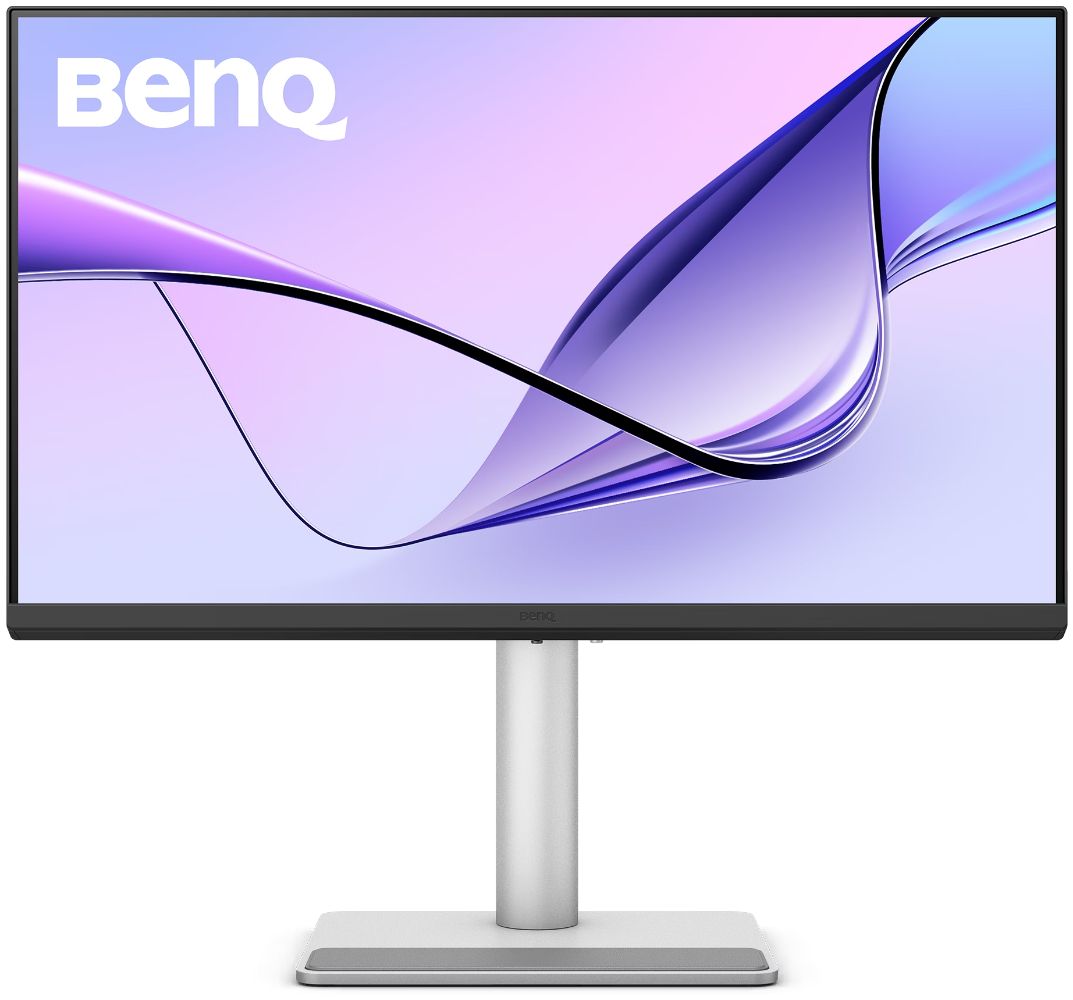
BenQ MA270UP 4K Glossy Monitor for MacBook User 27" - Silver - 27 Inch — Refurbished, 22% Off
Brand: BenQ
Description
OVERVIEW:
[ Show Mac Colors. All Clarity. ]
<ul>
<li>95% P3 Color Space</li>
<li>1200:1 Contrast Ratio</li>
<li>400nits Brightness</li>
<li>All-in-One 90W USB-C</li>
<li>Ergonomic Design</li>
<li>Nano Gloss Panel</li>
<li>Colors Tonal Control for Mac(R) Devices</li>
<li>Display P3</li>
</ul>
FEATURES:
• Colors Not Matching? Plug in and Get the Right Colors: Most external monitors display colors differently from MacBook computers. As the best color-matching monitors for all MacBook generations, BenQ MA series delivers a wide P3 color gamut and BenQ’s Mac color-tuning technology-making the MA Series the best monitors for MacBook users.
• Sync with MacBook Control: Now you can synchronize controls between your MacBook computer and monitor with simple keystrokes, just like you would on your MacBook Pro and MacBook Air. Simply press the brightness or volume key, and both displays will adjust simultaneously.
• Get it Done with Display Pilot 2: Experience Mac-like simplified settings with BenQ Display Pilot 2 software.
• Nano Gloss Panel. Mac Colors, in Full Clarity: If you love how your Mac looks on a glass display, you’ll feel right at home here. The Nano Gloss surface delivers crystal-clear depth with true blacks, radiant highlights, and striking contrast, showing your Mac exactly as it’s meant to be seen. Even from the side, the picture stays clear and natural, so every angle feels effortlessly Mac.
• A Powerful Hub Connects All: More than a stylish external monitor for your MacBook Pro and MacBook Air computer, it’s also a powerful hub for your desktop Apple ecosystem. The built-in 90W and 15W USB-C ports* charge your iPad and iPhone devices while you work. (*USB-IF certified USB-C ports ensure safe charging and reliable connectivity without risking damage to your Apple devices.)
<ul>
<li>2 HDMI: Get connected to various devices for multitasking</li>
<li>2 USB-C: Built-in 90W and 15W USB-C keeps your devices charged* and expands connectivity (*Ensure your devices stay charged even when the monitor is off with Always-on Power Charging.)</li>
</ul>
• We Adjust Easily. You View Comfortably.: No more bad posture. BenQ’s best monitors for MacBook Pro and MacBook Air go beyond screen limitations, offering greater freedom with multiple angles and height adjustments for an improved viewing experience.
<ul>
<li>115mm Height Adjustment</li>
<li>Tilt (-5 degrees~20 degrees)</li>
<li>Swivel (15 degrees/15 degrees)</li>
<li>Pivot (90 degrees/90 degrees)</li>
</ul>
Specifications
- — Product Name: BenQ MA270UP 4K Glossy Monitor for MacBook User (27-inch)
- — Brand: BenQ
- — Product Series: MA270UP 4K Glossy Monitor for MacBook User
- — Screen Size: 27 inch
- — Panel Type: IPS
- — Backlight Technology: LED backlight
- — Resolution (max.): 3840 x 2160
- — Brightness (typ.): 450 nits
- — Brightness (peak)(HDR): 450 nits
- — HDR: HDR10, VESA DisplayHDR 400
- — Viewing Angle (L/R) (CR>=10): 178°/178°
- — Response Times (GtG): 5 ms
- — Refresh Rate (Hz): 60
- — Native Contrast: 1200:1
- — Color Gamut: 99% sRGB, 95% P3
- — Color Mode: Display P3, sRGB, HDR, M-book, User, Game, ePaper, Cinema
- — Aspect Ratio: 16:9
- — Display Colors: 1.07 billion colors
- — PPI: 163
- — Display Screen Coating: Nano Gloss
- — Color Temperature: 5000K, 6500K, 9300K, User Define
- — Gamma: 1.8 - 2.6, sRGB
- — HDCP: 2.2
- — OSD Language: Bulgarian, Greek, Ukrainian, Arabic, Chinese (simplified), Chinese (traditional), Czech, Deutsch, English, French, Hungarian, Italian, Japanese, Korean, Netherlands, Polish, Portuguese, Romanian, Russian, Spanish, Swedish
- — AMA: Yes
- — Built-in Speaker: 3Wx2
- — Headphone Jack: Yes
- — Voltage Rating: 100 - 240V
- — Power Supply: Built-in
- — Power Consumption (normal): 40 W
- — Power Consumption (max): 220 W
- — Power Consumption (sleep mode): <0.5 W
- — Power Delivery(USB C / Thunderbolt ): 90
- — Tilt (down/up): -5˚ - 20˚
- — Swivel (left/right): 15˚/ 15˚
- — Pivot: 90˚
- — Height Adjustment Stand: 115 mm
- — Dimensions (H x W x D) (mm): 560.1-445.1 x 613.8 x 220.2
- — Dimensions (H x W x D) (inch): 22.1-17.5 x 24.2 x 8.7
- — Dimensions (H x W x D) (Landscape) (mm): 560.1-445.1 x 613.8 x 220.2
- — Dimensions (H x W x D) (Landscape) (inch): 22.1-17.5 x 24.2 x 8.7
- — Dimensions (H x W x D) (Pivot) (mm): 689.3 x 367.7 x 220.2
- — Dimensions (H x W x D) (Pivot) (inch): 27.1 x 14.5 x 8.7
- — Dimensions (H x W x D) (w/o Base) (mm): 367.7 x 613.8 x 83.5
- — Dimensions (H x W x D) (w/o Base) (inch): 14.5 x 24.2 x 3.3
- — Net Weight (kg): 8.2
- — Net Weight (lb): 18.08
- — Net Weight (w/o Base) (kg): 5.14
- — Net Weight (w/o Base) (lb): 11.33
- — VESA Wall Mount: 100x100 mm
- — Other Accessories: QSG, Warranty Card, Safety Instruction
- — Signal Cable (may vary by region): HDMI (v2.0), USB C
- — HDMI (v2.0): x2
- — USB C(PowerDelivery 90W, DisplayPort Alt Mode, Data): x1
- — USB Type-A Downstream (USB 3.2 Gen 1, 5 Gbps, power charging 7.5W): x2
- — USB Type-C Downstream (USB 3.2 Gen 1, 5 Gbps, power charging 15W): x1
- — Flicker-free Technology: Yes
- — Low Blue Light: Yes
- — Color Weakness: Yes
- — ePaper: Yes
- — Visual Optimizer: Yes
- — Energy Star: Yes
- — TUV Certificate: Eye Comfort 3.0, Flicker-free, Low Blue light (Software Solution)
- — Auto Pivot: Yes
- — FW update by USB: Yes
- — ICCsync: Yes
- — Display Pilot 2: Yes
- — Display Quickit: Yes
Frequently Asked Questions
Why Should I buy a Certified Pre-owned BenQ MA270UP 4K Glossy Monitor for MacBook User 27 inch?
What does Reebelo's warranty cover?
Is a certified pre-owned BenQ MA270UP 4K Glossy Monitor for MacBook User 27 inch reliable?
How much can I save by buying a certified pre-owned BenQ MA270UP 4K Glossy Monitor for MacBook User 27 inch?
How does buying certified pre-owned products benefit the environment?
Sold by
Reebelo
Canada's leading certified refurbished marketplace
- 12-month warranty included
- 30-day money-back guarantee
- Environmentally conscious refurbishment
- Grade-certified by expert technicians
Product Details
- SKU:
- rc-sku-ms69jsp4XnuimovUepV24sw
- Country:
- CA
Shopping Smarter
Common questions about buying open-box and refurbished.
Why buy refurbished or open-box?
What's the difference between open-box and refurbished?
Why use OpenBoxFox?
Is it safe to buy refurbished?
More open-box deals
Updated daily from Amazon, Reebelo, and Dyson.


 by Samsung - Used condition - CA$898.67](https://m.media-amazon.com/images/I/41lGfmQ8NxL._SX600_.jpg)